The printable booklet
The 10 reflexes on paper: the version that gets pinned in the kitchen, handed out in workshops, and survives network outages.
Three moves
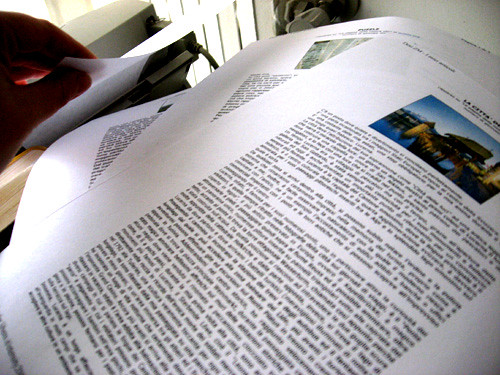
- Print this page: the button below, or Ctrl+P. The print layout takes care of itself, ideally double-sided.
- Fold or staple: the booklet fits on a few sheets, standard A4.
- Display it, hand it out, adapt it: the CC BY 4.0 licence is made for that.
Before You Believe It
The 10 reflexes for checking a piece of information before believing it, or sharing it
Display it, hand it out, adapt it: CC BY 4.0 licence.
01 Who is speaking?
Before weighing a claim, look at who is holding it.
- Look for a name, a face, an organisation behind the message. Can't find one? That's already an answer.
- Open the profile that published it: how old is it, what else does it post, what does the rest look like?
- Separate the author from the messenger: the person forwarding you the info is almost never the one who wrote it.
- Beware of “a doctor friend”, “someone who works there”: a source you cannot trace is not a source.
Keep in mind : No author, no trust.
02 What's the source?
Swim back up the stream to where the info was born.
- Look for the link to the original document. There isn't one? Search for it yourself with a few precise keywords.
- A screenshot is not a source: find the original post. It may be cropped, doctored, or invented.
- “According to a study” with no study name = red flag. A real study has a title, a date, authors.
- On an unfamiliar site, open the “about” page: who publishes it, from where, since when?
Keep in mind : Trace the source, not the megaphone.
03 What's the date?
A true story from five years ago can become today's fake news.
- Look for a date: the publication date, and the date of the facts. They are often two different dates.
- No visible date? Search the message's keywords: the first publication usually surfaces fast.
- For a picture or a video, a reverse image search shows when it has circulated before.
- Before sharing an alert or an instruction, ask: is it still current, here and now?
Keep in mind : Undated information can be made to say anything.
04 Does the image show what they claim?
A photo proves a scene existed, not that the caption is true.
- Reverse image search: where and when has this image been published before, with what caption?
- Interrogate the frame: what would you see just beside, just before, just after?
- For a possibly generated image: hands, unreadable background text, inconsistent reflections. These are clues, never proof. The origin remains the real test.
- Keep the two questions separate: is the image authentic? AND does the caption say what the image actually shows?
Keep in mind : An image proves the scene, never its caption.
05 Who else is saying it?
Important news never stays alone for long.
- Take the claim's keywords and search them elsewhere: who else covers it, and what do they say?
- Compare independent sources with each other, not ten copies of the same press release.
- Nobody else mentions it? For a huge fact, that silence is a major clue.
- Cross-check the source itself: what do others say about the site or account publishing this?
Keep in mind : News that stands alone isn't news yet.
06 Too good to be true?
The bigger the claim, the bigger the proof it owes you.
- Measure the promise: “everything”, “never”, “100%”, “revolutionary”: the more absolute, the more suspicious.
- Look at the offered proof: one tearful testimonial and three exclamation marks weigh nothing against a huge promise.
- Ask who would gain if it were true… and why nobody else is talking about it.
- Urgency (“last chance”, “before tonight”) exists to stop you from checking: that's precisely the moment to check.
Keep in mind : Huge promise, huge proof, or no deal.
07 What is it selling me?
Behind many “news items” there's an intention: sell, get clicks, scare, recruit.
- Follow where the message leads: a shop, an affiliate link, a donation form, a subscription, a sign-up?
- Spot the discreet mentions: “sponsored content”, “in partnership with”. They're often in tiny letters.
- Does the content lean on a strong emotion (fear, anger, outrage) that pushes you to click and share? Emotion is a fuel that sells very well.
- Ask yourself: if nobody clicked, would this message still exist?
Keep in mind : Find what it sells, and you'll know what it's worth.
08 Is the expert really an expert?
A grand title is not a competence, especially outside its own field.
- Check the exact field: a doctorate, sure, but in what? And is today's topic inside that field?
- Look for the institution: where does this person work, who can confirm it?
- An “independent expert” is not more reliable by default: independence is not a competence.
- Cross-check against the consensus: what do most specialists of that same field say? A lone opinion can be brilliant or wrong: it gets verified BEFORE it gets shared.
Keep in mind : Expertise has a home turf. Outside it, it's an opinion.
09 Does the number have context?
A number with nothing to compare it to says almost nothing.
- Find the starting point: a percentage change without the initial value is a stage trick.
- Bring it back to scale: “thousands” in a town or across a continent are two different stories.
- Ask who measured: a poll has a sample size, a method, a sponsor.
- On a chart, look at the axis: does it start at zero? Spectacular bars are often born from a cropped axis.
Keep in mind : A number without context is a costume.
10 What if I'm the one who's wrong?
The hardest reflex: fact-checking yourself.
- Notice the pleasure: if a piece of news makes you really want to believe it (or triumphantly right), double your vigilance.
- Deliberately search for what says the opposite, not to punish yourself, to test the strength.
- You shared a mistake? Correct it, simply. Setting the record straight builds your credibility, never the reverse.
- Accept “I don't know yet”: it's an honourable position, often the most honest of the three.
Keep in mind : Double-check whatever proves you right.
And to practise?
Hundreds of interactive training cases, free and without an account, are waiting online. The address is right below this paragraph.
https://avantdycroire.odersa.org
A project by ODERSA. Open content (CC BY 4.0).