Have them verify, not just listen
This site is built to be used as-is in class, in a workshop, at the library, at home. Everything is free, reusable and printable.
Three ways to use it
- On a projector: run a training session as a group, vote by show of hands on each case, then read the explanation together. The disagreements make the best discussions.
- Self-paced: everyone on their own device, categories and level of their choice. Progress stays on each person's device; no data about anyone ever reaches us.
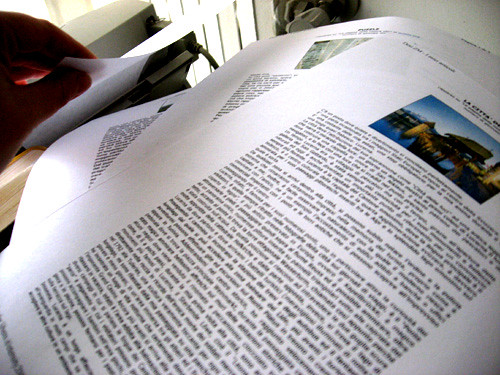
- On paper: print the 10-reflex booklet, or any page of the case library. The answers unfold in print.
Choosing the right level
- Easy: the warning signal is visible. Perfect for opening a workshop, from about the age of 13 or 14 upwards.
- Medium: a verification move is required (finding the source, dating the content). The heart of a session with older teens or adults.
- Tough: subtle traps and nuanced cases, including true information. Proof that verifying doesn't mean doubting everything.
The ground rules, plainly
- CC BY 4.0 licence: copy, adapt, redistribute, even modified, simply crediting the source. The case data can be downloaded as JSON.
- No account, no collection: this site itself raises no personal-data question when used with minors in your organisation. Nothing leaves the device.
- The cases are fictional and realistic: no real brand, person or news story. You learn the method here, not a verdict on today's news.
- An error, a suggestion, a workshop project? Write to us: the address is in the footer, a human reads it.
45 minutes, ready to run
A first session that works with a group discovering the topic, from secondary school to adults. The timings are indicative: your group sets the pace.
The opening poll
Ask: “Who here has ever forwarded something without checking it?” Every hand goes up, yours included. The topic is set: nobody is above this, and everybody can train.
Three reflexes, not ten
Introduce only reflexes 1, 2 and 3 (who is speaking, what source, what date). Three moves are enough for one session; the others will follow naturally with practice.
Training in teams
Project a quiz on easy level, in teams of three or four. Each team votes, you compare, then read the explanation aloud. Let the disagreements play out before revealing the answer: that's where the learning happens.
The move they take home
Everyone leaves with ONE chosen reflex: the one that would have helped them this week. Hand out the printed booklet, or leave the site address on the board.
Need a zero-equipment version? Print one case-library page per team: the whole workshop runs on paper.